كتالوج الخلية
نظره عامه
ال كتالوج الخلية هو كتالوج بيانات وصفية مستخدم على نطاق واسع لبيئات Spark و Hadoop و البيانات الضخمة. في جوهره ، يخزن مخططات الجدول والمواقع والبيانات الوصفية الأخرى في قاعدة بيانات مركزية تسمى Hive Metastore. هذا يجعل من الممكن ل Spark ومحركات الحوسبة الأخرى العثور على الجداول والوصول إليها باستمرار عبر وظائف وجلسات متعددة.
بعبارات أبسط ، Hive Catalog is like a registry or "table of contents" for your data lake. It keeps track of which tables exist, their schemas, partitions, and where their data physically resides (for example, on HDFS, S3, or MinIO).
يدمج Ilum كتالوج Hive بعمق ، مما يجعله الكتالوج الافتراضي لجميع استعلامات SQL والوظائف والمجموعات ما لم يتم تحديد آخر.
على عكس الكتالوجات الشبيهة ب Git (على سبيل المثال ، Nessie) ، يتتبع Hive فقط أحدث حالة من كل جدول إنه كذلك لا دعم التفريع أو الالتزام بالتاريخ أو السفر عبر الزمن عبر الكتالوج بأكمله. ومع ذلك ، فهي موثوقة وناضجة ومتوافقة عالميا مع نظام بيئي ضخم.
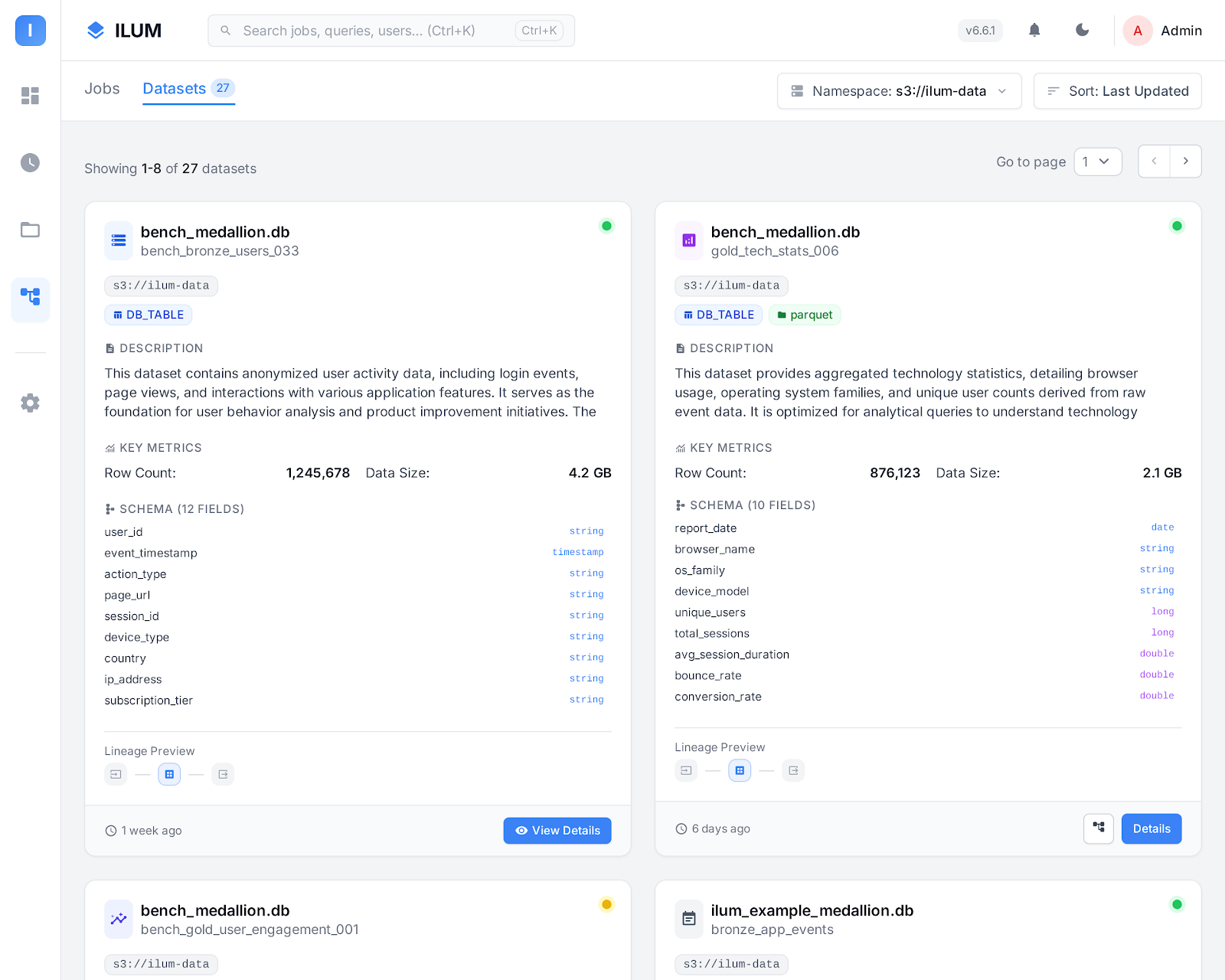
Hive مقابل كتالوجات البيانات الأخرى
إليك كيفية مقارنة كتالوج Hive بالبدائل الحديثة مثل Nessie أو AWS Glue:
-
لا يوجد تحكم في الإصدار: تحتفظ Hive بأحدث إصدار فقط من كل جدول. لا يدعم التفريع أو وضع العلامات أو الالتزام بالمحفوظات على مستوى الكتالوج. لتتبع الحالات التاريخية ، يجب أن تعتمد على الميزات الخاصة بتنسيق الجدول (مثل السفر عبر الزمن في Iceberg أو Delta) ، وليس Hive نفسها.
-
البيانات الوصفية المركزية: يتم تخزين مخططات الجدول والمواقع والتقسيم في قاعدة بيانات Hive Metastore. يضمن ذلك بيانات تعريف متسقة عبر جميع مهام Spark والمحركات التي تستخدم الكتالوج.
-
التوافق العالمي: يتم دعم Hive Metastore من قبل جميع محركات البيانات الضخمة تقريبا (Spark و Hive و Trino و Flink وما إلى ذلك) ، مما يجعله افتراضيا آمنا لبيئات التكنولوجيا المختلطة.
-
لا توجد معاملات متعددة الجداول: الحركات الذرية على مستوى الكتالوج (التي تغطي جداول متعددة في وقت واحد) هي لا مدعم. يتم التعامل مع كل عملية DDL / DML على حدة.
-
لا يوجد عزل فرع: To isolate dev/staging/prod environments, you must maintain multiple catalogs or databases, or physically copy data. There is no "branching" mechanism built in.
المفاهيم الأساسية في كتالوج Hive
Hive Metastore
ال Hive Metastore هي خدمة وقاعدة بيانات دعم (غالبا PostgreSQL أو MySQL) حيث يتم تخزين جميع بيانات التعريف حول الجداول وطرق العرض والأقسام.
عندما يستعلم Spark أو محرك آخر عن جدول ، فإنه يبحث عن التفاصيل في Hive Metastore.
الجداول وقواعد البيانات والتخزين
- المناضد حدد المخطط وموقع التخزين لمجموعات البيانات الخاصة بك.
- قواعد البيانات في Hive توجد مساحات أسماء لتجميع الجداول ذات الصلة.
- موقع المستودع هو المجلد الجذر (على HDFS أو S3 أو أي وحدة تخزين أخرى) حيث توجد ملفات بيانات الجدول.
استخدام كتالوج Hive في Ilum
يقوم Ilum تلقائيا بتكوين كتالوج Hive كافتراضي لمهام Spark واستعلامات SQL Viewer ومجموعات البنية الأساسية لبرنامج ربط العمليات التجارية.
يمكنك تشغيل أوامر SQL القياسية مثل:
خلق قاعدة بيانات لو لا موجود ميد بي;
خلق جدول لو لا موجود ميد بي.مبيعات (تاريخ خيط, مبلغ الباحث);
أدخل إلى ميد بي.مبيعات القيم ('2025-06-01', 1000);
اختار * من ميد بي.مبيعات;
تكوين الشرارة للخلية
إذا قمت بتشغيل Spark يدويا، فقم بتعيين هذه المعلمات لتمكين دعم Hive:
spark.sql.catalogImplementation=خلية
spark.hadoop.hive.metastore.uris=thrift://ilum-hive-metastore:9083
لكن يتعامل Ilum مع هذا نيابة عنك in all standard workflows. No manual configuration is required.
إعداد Hive Metastore في Ilum
عادة ، يتطلب استخدام كتالوج Hive ما يلي:
- تثبيت خدمة Hive Metastore.
- تكوين قاعدة بيانات دعم (مثل PostgreSQL أو MySQL) للبيانات الوصفية.
- توصيل الخدمة بتخزين الكائنات الخاص بك (HDFS و S3 و MinIO و GCS و WASBS).
- إعداد خيارات الأمان والشبكة والتخزين.
يقوم Ilum بأتمتة كل هذه الخطوات!
عندما تقوم بنشر Ilum عبر Helm، فإنه يوفر لك تكامل Hive Metastore وقاعدة البيانات وتخزين الكائنات.
تمكين Hive Metastore
لتمكين Hive Metastore في Ilum ، أضف هذه العلامات إلى ترقية / تثبيت Helm:
ترقية Helm  \
    --جبر ilum-hive-metastore.enabled=صحيح \
    --جبر ilum-core.metastore.enabled=صحيح \
    --جبر ilum-core.metastore.type=خلية \
    - إعادة استخدام قيم ilum ilum / ilum
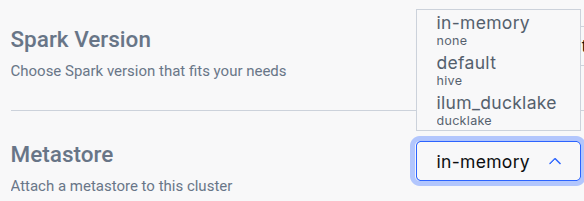
After running the ترقية Helm command, navigate to the Edit Cluster tab for the cluster where you want to use the catalog and select it in the General metastore dropdown:
استخدام بيانات اعتماد PostgreSQL المخصصة
إذا كنت تريد استخدام قاعدة بيانات PostgreSQL مخصصة ل Hive Metastore:
ترقية Helm \
    --جبر postgresql.auth.username=customuser \
    --جبر postgresql.auth.password="CHOOSE PASSWORD"  \
    - إعادة استخدام قيم ilum ilum / ilum
قم بتكوين Hive Metastore لاستخدام بيانات الاعتماد هذه:
ترقية Helm \
    --جبر ilum-hive-metastore.postgresql.auth.password="CHOOSE PASSWORD" \
    --جبر ilum-hive-metastore.postgresql.auth.username=customuser \
    - إعادة استخدام قيم ilum ilum / ilum
إعداد Hive Metastore: التخزين
التخزين ، الذي يشار إليه أيضا باسم المستودع ، هو الموقع الذي يتم فيه تخزين البيانات الفعلية. تدعم Hive العديد من الواجهات الخلفية للتخزين ، بما في ذلك:
- HDFS (نظام الملفات الموزعة Hadoop)
- أمازون S3 الدلاء و ميني آيو
- التخزين السحابي من Google (GCS)
- كائن ثنائي كبير الحجم لتخزين Windows Azure (WASBS)
عادة ، ستحتاج إلى إعداد أحد خيارات التخزين هذه وتكوين اتصال Metastore الخاص ب Hive وفقا لذلك داخل ملف XML.
ومع ذلك ، مع إيلومال S3 MinIO تم تكوين التخزين مسبقا لك، وقد تم إعداد Hive Metastore بالفعل لاستخدامه افتراضيا. تكوين الخلفيات الأخرى للتخزين
إذا كنت تفضل استخدام خلفية تخزين بديلة ، فيمكنك تكوين Hive للعمل معها عن طريق إعادة تكوين قيم الدفة الخاصة بك:
من أجل S3 التخزين أو ميني آيو:
ترقية Helm
    --جبر ilum-hive-metastore.storage.type="S3" \
    --جبر ilum-hive-metastore.storage.metastore.warehouse="s3a://yourbucket/yourfolder" \
    --جبر ilum-hive-metastore.storage.s3.accessKey="your_access_key" \
    --جبر ilum-hive-metastore.storage.s3.secretKey="your_secret_key" \
    --جبر ilum-hive-metastore.storage.s3.host="yourhost" \
    --جبر ilum-hive-metastore.storage.s3.port=yourport \
    - إعادة استخدام قيم ilum ilum / ilum
من أجل جي سي إس:
ترقية Helm
    --جبر ilum-hive-metastore.storage.type="gcs" \
    --جبر ilum-hive-metastore.storage.metastore.warehouse="gs://my-gcs-bucket/path/to/folder/" \
    --جبر ilum-hive.metastore.storage.gcs.clientEmail="your@email" \
    --جبر ilum-hive-metastore.storage.gcs.privateKey="yourprivatekey" \
    --جبر ilum-hive-metastore.storage.gcs.privateKeyId="privatekeyid" \
    - إعادة استخدام قيم ilum ilum / ilum
من أجل WASBS:
ترقية Helm
    --جبر ilum-hive-metastore.storage.type="wasbs" \
    --جبر ilum-hive-metastore.storage.metastore.warehouse="wasbs://[البريد الإلكتروني محمي]/path/to/folder/" \
    --جبر ilum-hive-metastore.storage.wasbs.accountName="youraccountname" \
    --جبر ilum-hive-metastore.storage.wasbs.accessKey="youraccesskey" \
    - إعادة استخدام قيم ilum ilum / ilum
من أجل HDFS:
هنا سوف تحتاج إلى تحديد تكوينات hdfs الخاصة بك في
ilum-hive-metastore.storage.hdfs.config
يمكنك توفيرها في hdfs-config.yaml:
ترقية Helm
    --جبر ilum-hive-metastore.storage.type="hdfs" \
    --جبر ilum-hive-metastore.storage.metastore.warehouse="hdfs://node:port/path/to/folder" \
    --جبر ilum-hive-metastore.storage.hdfs.hadoopUsername="yourusername" \
    - إعادة استخدام قيم ilum ilum / ilum \
    -و hdfs-config.yaml
Hive 4 deployment
Ilum supports Apache Hive 4.x metastores alongside the default Hive 3.x deployment. A single Ilum instance can serve both versions concurrently — each Metastore record routes to the correct backend automatically based on its الإصدار ميدان.
When to use Hive 4
- New transactional metadata features (
SCHEDULED_QUERIES,STORED_PROCS,DATACONNECTORS, REST catalog). - Smaller standalone-metastore distribution (~443 MB image vs. 1.4 GB full Hive distribution).
- Schema migrations are simpler —
schematool -initOrUpgradeSchemais idempotent in Hive 4.
Differences from Hive 3 you should know
- The Hive 4 image is operations-only —
start-metastoreوschematool. There is noخليةCLI, nobeeline, nometatool. If operators rely onmetatoolمن أجل-listFSRoot,-updateLocationأو-executeJDOQL, keep a Hive 3 deployment. - A Hive 3 client cannot drive a Hive 4 server. Spark's bundled Hive client is older than Hive 3, so any cluster querying a Hive 4 metastore must use the matching Spark image (see "Spark: use the Hive 4 Spark image" below).
- Migration from Hive 3 to Hive 4 is in place — Ilum runs
schematoolفي-initOrUpgradeSchemamode whenmajorVersion: 4is set, and existing databases, tables, partitions, and column statistics are preserved without a data dump. The upgrade is idempotent, so re-running against an already-v4 schema is a no-op. A single Postgres database can only host one Hive schema version at a time, so running v3 and v4 side by side requires separate databases (see "Mixed v3 + v4" below).
Helm: deploying a Hive 4 metastore
ترقية Helm ilum ILUM / ILUM \
    --جبر ilum-hive-metastore.image=ilum/hive:4.2.0 \
    --جبر ilum-hive-metastore.majorVersion=4 \
    --جبر ilum-core.metastore.hive.version=4.2.0 \
    --إعادة استخدام القيم
All three flags are required and must be set in lockstep:
ilum-hive-metastore.image— the Hive 4 image. Use Ilum's publishedilum/hive:4.2.0; the stock upstreamapache/hive:standalone-metastore-4.ximages lack the PostgreSQL JDBC driver and cannot connect to the bundled PostgreSQL backend.ilum-hive-metastore.majorVersion— selects v4 mode in the metastore chart (init/upgrade behavior and start command).ilum-core.metastore.hive.version— should match the Hive 4 image's version. The Ilum backend uses the major component to route between the Hive 3 and Hive 4 clients; values starting with4.select the Hive 4 client.
Helm rejects an install أو upgrade that sets these inconsistently — the chart's template-time check fires with a clear error naming the two flags that need to align. The check applies only when the bundled metastore is enabled and the Ilum backend is configured to target it; deployments using an external Hive Metastore are not gated by the check.
Upgrading an existing Hive 3 deployment in place
The same three flags upgrade an existing Hive 3 deployment to Hive 4 in place, preserving the contents of the metastore database. The upgrade has been verified end-to-end against a populated Hive 3 database: existing tables remain queryable and writes continue to succeed after the upgrade.
Pre-flight
- Snapshot the metastore database. Always take a backup before upgrading production data, even though the upgrade is designed to be resumable on failure.
- Plan a maintenance window. The metastore is unavailable while the schema upgrade runs. Expect under two minutes on a small metastore (< 10k tables); larger catalogs take proportionally longer.
Run the upgrade
-
Run
ترقية Helmwith the three lockstep flags. Helm will reject the command if any of the three is missing or inconsistent.ترقية Helm ilum ILUM / ILUM \
--إعادة استخدام القيم \
--جبر ilum-hive-metastore.image=ilum/hive:4.2.0 \
--جبر ilum-hive-metastore.majorVersion=4 \
--جبر ilum-core.metastore.hive.version=4.2.0 -
Wait for the Hive Metastore and Ilum backend Pods to roll out. The new Hive Metastore Pod runs the schema upgrade in its init container before serving requests.
kubectl rollout status -ن $NS sts/ilum-hive-metastore
kubectl rollout status -ن $NS deploy/ilum-core
Update the cluster's Spark image
- Spark clusters attached to a Hive 4 metastore must run the matching Spark image. Set the default cluster's container image to the
-delta-hive4variant either in the Edit Cluster UI (set Container image لilum/spark:4.1.2-delta-hive4) or via API ondefaultApplicationConfig.spark.kubernetes.container.image. The Spark configuration needed to use the v4 client is injected automatically; selecting the image is the only required step.
Verify
-
Confirm post-upgrade health via the API:
GET /api/dev/reactive/metastorereturns the default metastore record withversion="4.2.0". -
Run a representative SQL workload to confirm pre-upgrade tables are still queryable and writes still succeed:
عرض DATABASES;
عرض المناضد في <db>;
اختار * من <db>.<جدول> LIMIT 10;
أدخل إلى <db>.<جدول> القيم (...);
Rollback
To roll back, restore the metastore database from the snapshot taken in step 1, then re-run ترقية Helm with the original Hive 3 flags (ilum-hive-metastore.image=ilum/hive:3.1.3, ilum-hive-metastore.majorVersion=3, ilum-core.metastore.hive.version=3.1.3) and swap the cluster's Spark image back to the standard (non -hive4) variant.
Helm values are the source of truth for the default metastore
The default Metastore record is created from the Ilum backend's helm values at startup. The address, الإصدارو warehouseDir fields are overwritten from helm on every pod restart, so a ترقية Helm that changes any of them takes effect automatically on the next rollout. The وصف و configuration fields are preserved across restarts and are the right place for per-deployment customisations (such as extra Spark or Hive client settings).
Changes made to address, الإصدارأو warehouseDir directly through the API or UI will not survive a restart. To change them durably, update the helm values and run ترقية Helm.
For deployments that use an externally-managed Hive Metastore, ilum-core.metastore.hive.version is the operator's responsibility to keep aligned with the external service's actual major version.
Spark: use the Hive 4 Spark image
Stock Spark images cannot drive a Hive 4 metastore because their bundled Hive client is too old. Ilum publishes a Spark image with the Hive 4 client pre-staged:
ilum/spark:4.1.2-delta-hive4
Set this as the cluster's container image whenever the cluster is attached to a Hive 4 metastore:
- في المربع Edit Cluster UI, set Container image ل
ilum/spark:4.1.2-delta-hive4. - Or via API on the cluster's
defaultApplicationConfig:spark.kubernetes.container.image=ilum/spark:4.1.2-delta-hive4.
No further Spark configuration is needed; the relevant settings are injected automatically when the metastore record's الإصدار starts with "4.". The image is compatible with Hive 4.0, 4.1, and 4.2 metastores.
To use a custom Spark image with the Hive 4 client at a different path, set spark.sql.hive.metastore.jars on the metastore record's configuration map — the entry there takes precedence over the default.
Mixed v3 + v4 in one Ilum instance
Both a Hive 3 and a Hive 4 Metastore can be registered in the same Ilum instance — Ilum routes per-record to the matching client. Two extra constraints when running them side by side:
- Separate Postgres databases. A single database can host only one Hive schema version. Set
--set ilum-hive-metastore.postgresql.database=metastore_v4(or any unused name) on the Hive 4 release; Hive 3 stays on the defaultميتا ستورdatabase. The umbrella chart'spostgresExtensions.databasesToCreateneeds the extra database name so the bootstrap job creates it. - Two clusters. Each cluster's Spark image must match its metastore's Hive version. Run two clusters and attach each to the corresponding metastore record.
أفضل الممارسات والتوصيات
- استخدم Hive لتحقيق أقصى قدر من التوافق: Hive Metastore هو "القاسم المشترك" العالمي لمحركات البيانات الضخمة.
- للتحكم في الإصدار ، استخدم Iceberg أو Nessie: If you need branching, time travel, or commit history, combine Hive Catalog with a table format (like Iceberg) that supports these features, or use Nessie as your catalog.
- قم بتأمين Metastore الخاص بك: استخدم دائما بيانات اعتماد قوية وقيودا على الشبكة لقاعدة بيانات وخدمة Hive Metastore.
- مراقبة تخزين المستودعات: تأكد من نسخ المستودع الخاص بك (MinIO و S3 و HDFS وما إلى ذلك) ومراقبته للتأكد من صحتك والمساحة المتاحة.
التعرف على المزيد
لمزيد من المعلومات حول استخدام كتالوج Hive، راجع وثائق Hive Metastore.
للحصول على تكوين Ilum التفصيلي ومرجع Helm ، قم بزيارة دليل Ilum للبدء.
Hive Catalog in Ilum combines ease of use, automation, and broad compatibility, giving you a robust foundation for SQL analytics and data engineering at scale.