Orchestrating Spark Jobs with Apache Airflow
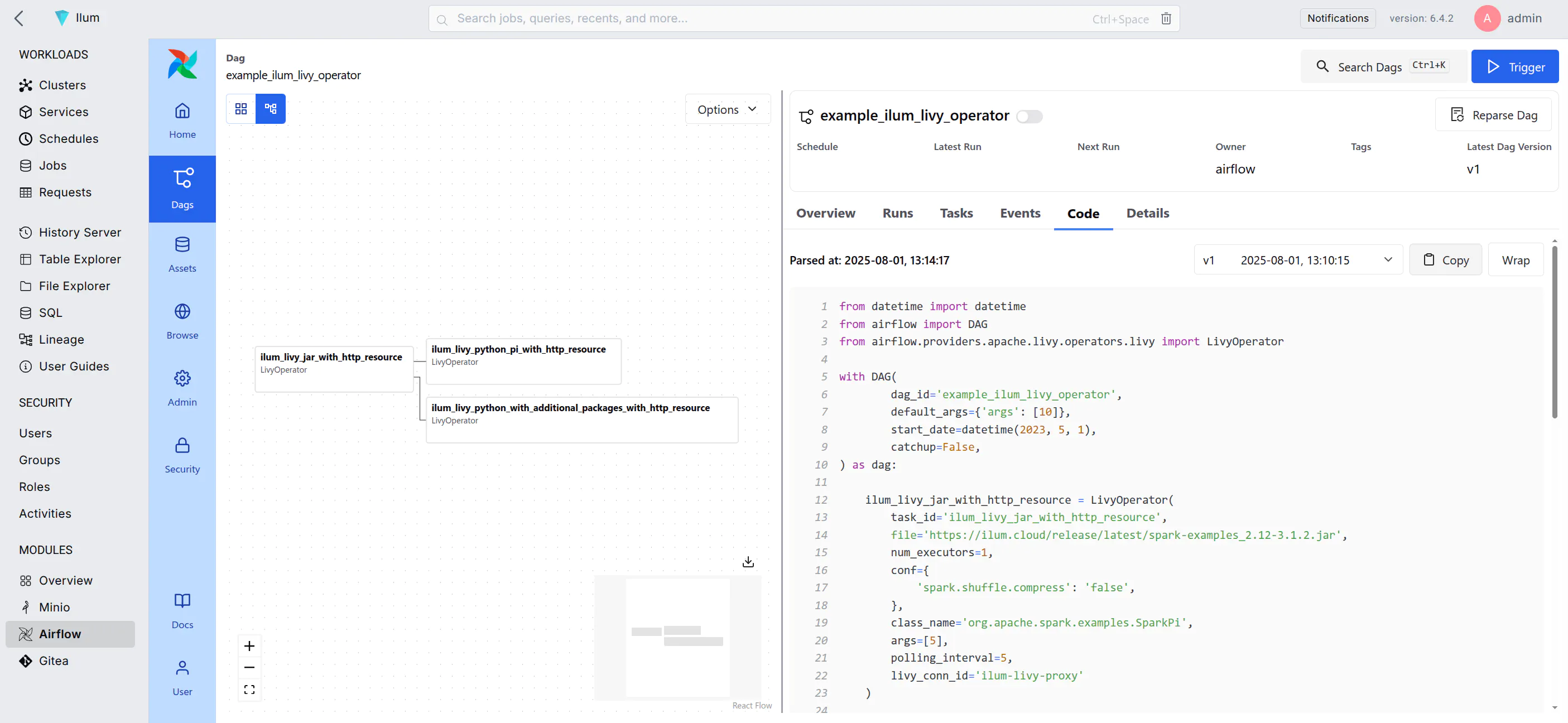
Apache Airflow is a platform for programmatically authoring, scheduling, and monitoring workflows. It allows you to define workflows as directed acyclic graphs (DAGs) of tasks, where each task represents a single unit of work.
In the context of Ilum, Airflow serves as the primary orchestration layer for Apache Spark jobs running on Kubernetes. By leveraging the LivyOperator, Airflow can submit batch jobs directly to Ilum's internal Livy Proxy, which handles the lifecycle of the Spark driver and executors.
Airflow is designed to be highly extensible, allowing you to create custom operators and hooks to interact with various systems and services. It is widely used in the data engineering community for orchestrating complex data pipelines and workflows.
Integration Architecture
Understanding the interaction between Airflow and Ilum is crucial for debugging and optimization.
The integration relies on the standard LivyOperator communicating with Ilum's Livy Proxy.
- DAG Trigger: The Airflow Scheduler triggers a DAG execution based on time or an external event.
- Task Execution: The
KubernetesExecutorspawns a worker pod for the task. - Job Submission: The worker executes the
LivyOperator, which sends a POST request to the Ilum Livy Proxy endpoint. - Ilum Translation: Ilum receives the request, translates the Livy specification into a Kubernetes CRD (Custom Resource Definition) for the Spark Application.
- Spark Launch: Ilum schedules the Spark Driver pod on the Kubernetes cluster.
- رصد: The
LivyOperatorpolls the proxy for job status updates until completion.
This architecture ensures that Airflow remains lightweight, managing only the orchestration logic, while the heavy lifting of Spark processing is offloaded to the Kubernetes cluster managed by Ilum.
Deploying Airflow
To read how to enable the Airflow deployment, refer to the صفحة الإنتاج.
Airflow is preconfigured to use the default port-forward method of connection.
This means that even if you access Ilum via a different URL than localhost:9777, Airflow will still try to redirect you to the default URL.
To avoid this, you can configure the Airflow base URL in the Helm values:
  airflow:
    التكوين:
      واجهة برمجة التطبيقات:
        base_url: "http://<your-address>:<your-port>/external/airflow"
Or for Airflow 2
  airflow:
    التكوين:
      webserver:
        base_url: "http://<your-address>:<your-port>/external/airflow"
However, For Airflow 2 this should not necessary since the proxy_fix setting should be enabled by default, which should also fix the issue.
بداية سريعة
After you enable Airflow, you can access it from the Ilum UI by clicking on the Airflow tab in the left sidebar.
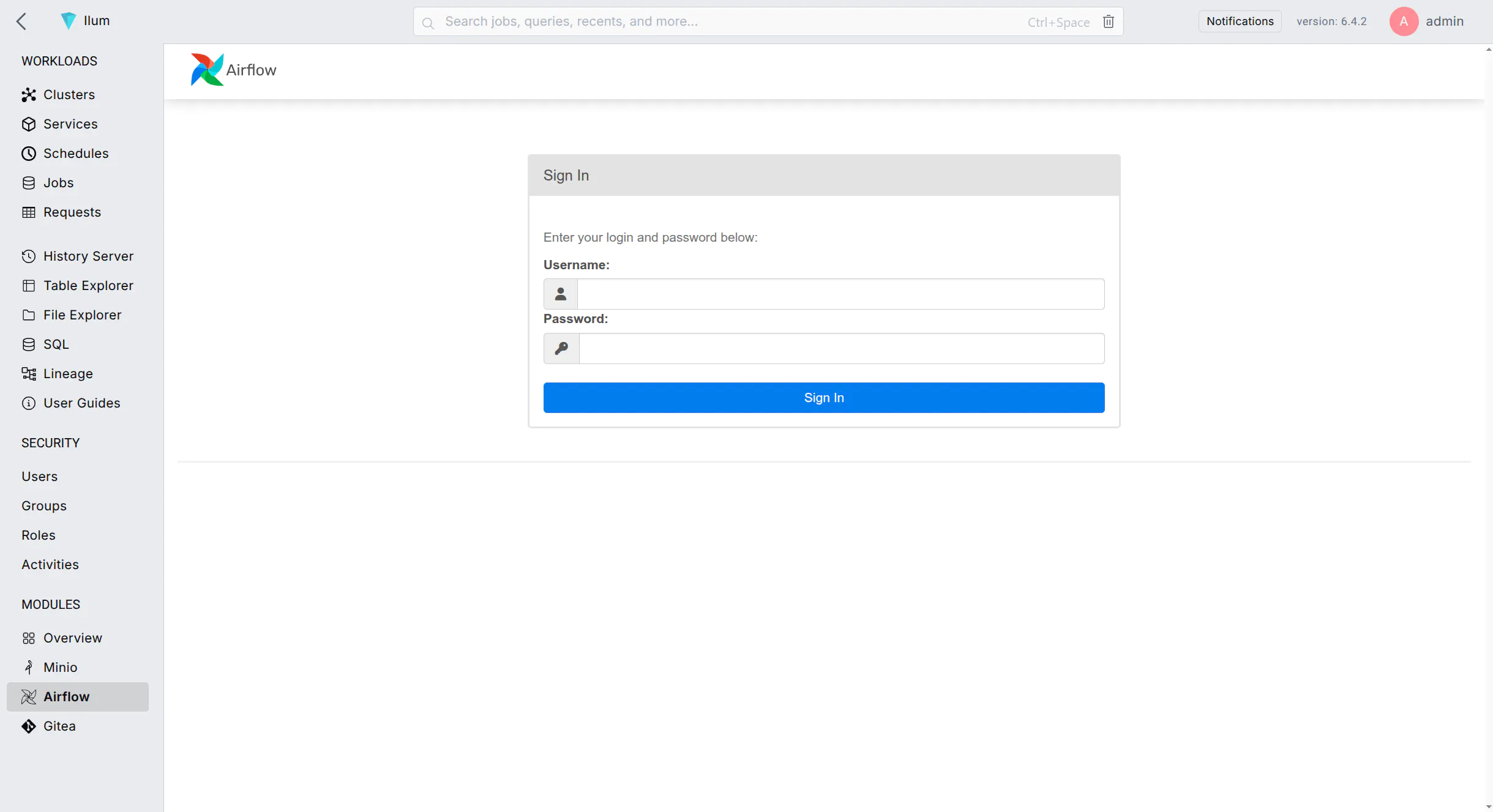 You can log in with the
 المسؤول:مشرف وثائق التفويض
Airflow comes with a pre-built example DAG that can give you an idea of how to use it with Ilum.
Example DAG
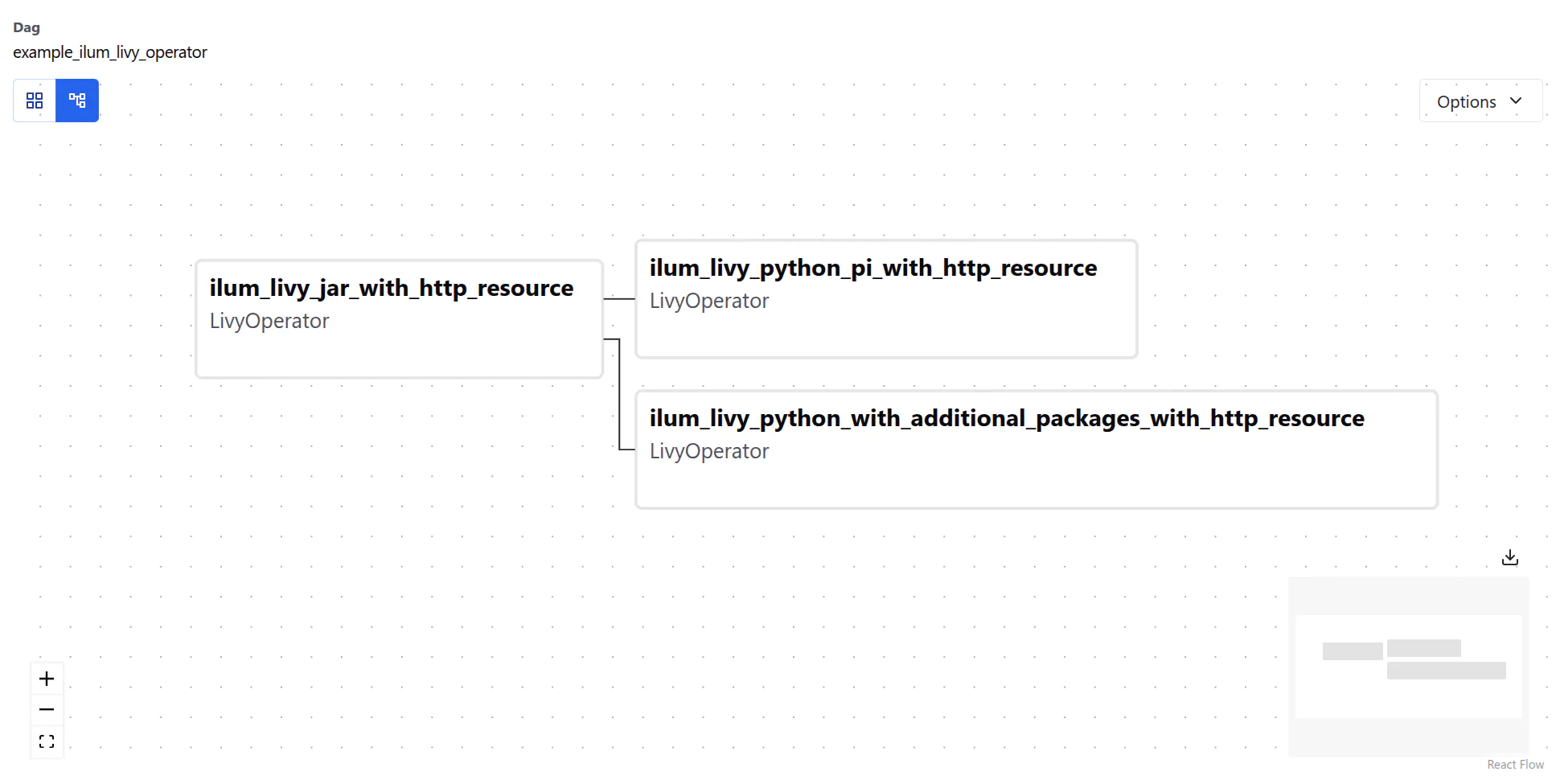
The example DAG has three interconnected tasks. Each DAG starts with an instance of the DAG class,
which is the main entry point for defining the workflow:
مع DAG(
    dag_id='example_ilum_livy_operator',
    default_args={'args': [10]},
    start_date=التاريخ والوقت(2023, 5, 1),
    catchup=False,
) مثل dag:
There is little happening here, so let’s look at the tasks defined in this DAG:
- Spark 4 (default)
- Spark 3
ilum_livy_jar_with_http_resource = LivyOperator(
    task_id='ilum_livy_jar_with_http_resource',
    ملف='https://ilum.cloud/release/latest/spark-examples_2.13-4.1.1.jar',
    num_executors=1,
    كونف={
        'spark.shuffle.compress': 'false',
    },
    class_name='org.apache.spark.examples.SparkPi',
    أرجس=[5],
    polling_interval=5,
    livy_conn_id='ilum-livy-proxy'
)
ilum_livy_jar_with_http_resource = LivyOperator(
    task_id='ilum_livy_jar_with_http_resource',
    ملف='https://ilum.cloud/release/latest/spark-examples_2.12-3.5.8.jar',
    num_executors=1,
    كونف={
        'spark.shuffle.compress': 'false',
    },
    class_name='org.apache.spark.examples.SparkPi',
    أرجس=[5],
    polling_interval=5,
    livy_conn_id='ilum-livy-proxy'
)
This task uses the LivyOperator to submit a Spark job to Ilum’s Livy Proxy.
Livy proxy is a pre-configured connection to the Livy server that allows you to submit Spark jobs from Airflow.
LivyOperator Configuration Deep Dive
ال LivyOperator provides a direct mapping to Spark submission parameters. Understanding these parameters is key to running complex jobs.
| Parameter | وصف |
|---|---|
ملف | Required. The path to the file containing the application to execute. This must be accessible by the cluster (e.g., s3a://, http://, hdfs://). Local file paths will not work unless they exist on the Driver image. |
class_name | The name of the main class to run. Required for Java/Scala applications. |
أرجس | A list of arguments to be passed to the application. |
الجرار | List of JARs to be used in this session. |
py_files | List of Python files to be used in this session. |
كونف | A dictionary of Spark configuration properties. This is where you define resources and runtime behavior. |
proxy_user | User to impersonate when running the job. Useful for multi-tenant environments where jobs run as specific service accounts. |
Resource Allocation Example
To control the resources allocated to your Spark job, use the كونف قاموس:
كونف={
    'spark.driver.cores': '1',
    'spark.driver.memory': '2g',
    'spark.executor.cores': '2',
    'spark.executor.memory': '4g',
    'spark.executor.instances': '3',
    'spark.kubernetes.container.image': 'custom-spark-image:latest'
}
Managing Job Dependencies
Handling dependencies is a critical aspect of data engineering. Ilum supports several strategies via the LivyOperator.
Python Dependencies
For Python jobs, you often need external libraries like numpy أو pandas.
متطلبات py(Recommended): Ilum creates a virtual environment on the fly.كونف={
'pyRequirements': 'numpy>=1.21.0,pandas'
}- PEX Files: You can package your entire environment into a
.pexfile and pass it viaالملفات. - Custom Docker Image: Bake your dependencies into a custom Spark image and reference it via
spark.kubernetes.container.image.
JAR Dependencies
For Scala/Java jobs, you can include additional JARs:
الجرار=['s3a://my-bucket/libs/extra-lib-1.0.jar']
Complete Example with Dependencies
The DAG below demonstrates dependent tasks and dependency management:
ilum_livy_python_pi_with_http_resource = LivyOperator(
    task_id='ilum_livy_python_pi_with_http_resource',
    ملف='https://raw.githubusercontent.com/apache/spark/master/examples/src/main/python/pi.py',
    polling_interval=10,
    livy_conn_id='ilum-livy-proxy',
)

# This task requires 'numpy' which is not in the base image
ilum_livy_python_with_additional_packages_with_http_resource = LivyOperator(
    task_id='ilum_livy_python_with_additional_packages_with_http_resource',
    ملف='https://raw.githubusercontent.com/apache/spark/master/examples/src/main/python/ml/correlation_example.py',
    polling_interval=10,
    livy_conn_id='ilum-livy-proxy',
    كونف={
        'pyRequirements': 'numpy', # Dynamically install numpy
    },
)

# Define task dependencies
ilum_livy_jar_with_http_resource >> [ilum_livy_python_pi_with_http_resource, ilum_livy_python_with_additional_packages_with_http_resource]
This DAG illustrates the directed acyclic nature of Airflow, where tasks run only after their upstream dependencies succeed.
SparkSubmitOperator
In addition to the LivyOperator, Airflow can submit Spark jobs directly to Kubernetes using the SparkSubmitOperator. This approach uses Spark's native شرارة تقديم binary and bypasses the Livy proxy entirely, giving you full control over every Spark configuration flag.
When both Airflow and Gitea are enabled in the Ilum Helm chart, a ready-to-use example DAG (example_spark_submit) is automatically seeded into the Airflow DAG repository.
المتطلبات المسبقه
-
Airflow and Gitea must both be enabled (the example DAG is only seeded when both are active):
airflow:
  تمكين: صحيح
جيتا:
تمكين: صحيح -
Airflow image must include Spark tooling. The default
ilum/airflowimage does لا includeشرارة تقديمor theapache-airflow-providers-apache-sparkprovider. You must use the Spark-enabled image variant:airflow:
images:
airflow:
مستودع: "ilum/airflow"
العلامه: "3.1.8-spark4"ال
-spark4image includes:شرارة تقديمثنائيapache-airflow-providers-apache-spark(v5.6.0)بايسبارك(v4.1.2)
Pre-configured Connection: spark_default
Ilum automatically configures the AIRFLOW_CONN_SPARK_DEFAULT environment variable, which Airflow maps to a connection with conn_id="spark_default". The connection is defined in القيم.yaml as:
- اسم: AIRFLOW_CONN_SPARK_DEFAULT
  قيمة: '{"conn_type": "spark", "host": "k8s://http://ilum-core", "port": 9888}'
This tells Airflow's SparkSubmitHook to construct: --master k8s://http://ilum-core:9888
- Protocol:
k8s://— Spark's native Kubernetes submission mode - Host:
http://ilum-core— the Ilum Core service endpoint (plain HTTP, not HTTPS) - Port:
9888— Ilum Core's Spark submission port
Example DAG: example_spark_submit
When both Airflow and Gitea are enabled, the Helm chart automatically seeds a spark_submit_example.py DAG into the Gitea airflow repository. This DAG runs SparkPi as a Kubernetes cluster-mode job.
من التاريخ والوقت استورد التاريخ والوقت
من airflow استورد DAG
من airflow.providers.apache.شراره.operators.spark_submit استورد SparkSubmitOperator

مع DAG(
    dag_id="example_spark_submit",
    default_args={
        "owner": "airflow",
        "depends_on_past": False,
        "email_on_failure": False,
        "email_on_retry": False,
        "retries": 0,
    },
    schedule=None,
    start_date=التاريخ والوقت(2023, 1, 1),
    catchup=False,
    العلامات=["spark-submit", "ilum", "example"],
) مثل dag:

    spark_pi = SparkSubmitOperator(
        task_id="spark_pi",
        conn_id="spark_default",
        application="https://ilum.cloud/release/latest/spark-examples_2.13-4.1.1.jar",
        java_class="org.apache.spark.examples.SparkPi",
        application_args=["100"],
        deploy_mode="cluster",
        اسم="spark-pi-airflow",
        كونف={
            "spark.kubernetes.container.image": "<spark-image-from-values>",
            "spark.kubernetes.namespace": "<release-namespace>",
            "spark.kubernetes.authenticate.driver.serviceAccountName": "<release-name>-ilum-core-spark",
        },
    )
Key Parameters
| Parameter | قيمة | وصف |
|---|---|---|
conn_id | "spark_default" | Uses the pre-configured AIRFLOW_CONN_SPARK_DEFAULT connection |
application | https://ilum.cloud/release/latest/spark-examples_2.13-4.1.1.jar | The Spark application JAR (SparkPi example) |
java_class | org.apache.spark.examples.SparkPi | Main class to execute |
deploy_mode | "cluster" | Driver runs inside the Kubernetes cluster, not locally |
اسم | "spark-pi-airflow" | Name prefix for the Spark driver pod |
spark.kubernetes.container.image | From ilum-core.kubernetes.container.image in values.yaml | The Spark executor/driver Docker image (Helm-templated in the deployed DAG) |
spark.kubernetes.namespace | Release namespace | Where Spark driver/executor pods are created (Helm-templated in the deployed DAG) |
spark.kubernetes.authenticate.driver.serviceAccountName | <release>-ilum-core-spark | ServiceAccount with RBAC permissions to create Spark pods (Helm-templated in the deployed DAG) |
Running the Example
- Open the Airflow UI (accessible via the Ilum UI at
/خارجي/تدفق الهواء/) - Find the
example_spark_submitDAG in the DAG list - The DAG is paused by default — unpause it by toggling the switch
- نقر "Trigger DAG" to run it manually (it has
schedule=None, so it won't run on its own) - Monitor the task in the Graph أو Grid view
- Check the task logs to see
شرارة تقديمoutput and the Spark driver pod creation - You can also observe the Spark driver pod in Kubernetes:
kubectl الحصول على القرون -ن <Namespace> | grep spark-pi-airflow
Writing Your Own SparkSubmitOperator DAGs
To create a custom DAG, use the example as a template. Key points:
- Always use
conn_id="spark_default"— this provides the correct--أحسنالرابط - Always set
deploy_mode="cluster"— local mode won't work inside the Airflow pod - Always include these
كونفentries:spark.kubernetes.container.image— the Spark image for driver/executor podsspark.kubernetes.namespace— must match your Ilum deployment namespacespark.kubernetes.authenticate.driver.serviceAccountName— the Ilum Spark ServiceAccount (has RBAC to create pods)
applicationcan be:- An HTTP(S) URL to a JAR
- An
s3a://path if your Spark image has S3 credentials configured - A local path inside the Spark image
- For PySpark, omit
java_classand pointapplicationto a.pyملف:Note thatpyspark_pi = SparkSubmitOperator(
task_id="pyspark_pi",
conn_id="spark_default",
application="https://raw.githubusercontent.com/apache/spark/master/examples/src/main/python/pi.py",
application_args=["100"],
deploy_mode="cluster",
اسم="pyspark-pi-airflow",
كونف={
"spark.kubernetes.container.image": "<spark-image-from-values>",
"spark.kubernetes.namespace": "<release-namespace>",
"spark.kubernetes.authenticate.driver.serviceAccountName": "<release-name>-ilum-core-spark",
},
)java_classis omitted andapplicationpoints to a.pyملف. - Additional useful
كونفoptions:spark.executor.instances— number of executorsspark.driver.memory/spark.executor.memory— resource allocationspark.kubernetes.container.image.pullPolicy— set toAlwaysfor dev imagesspark.ilum.cluster— logical cluster name in Ilum. Defaults toافتراضيif omitted. Set this if you want the job to appear under a specific cluster in the Ilum UI
SparkSubmitOperator Troubleshooting
| Symptom | Cause | Fix |
|---|---|---|
spark-submit: command not found | Using the default ilum/airflow صورة | Switch to the -spark4 image variant |
NotSslRecordException: not an SSL/TLS record | Connection uses https but ilum-core serves plain HTTP on port 9888 | Ensure AIRFLOW_CONN_SPARK_DEFAULT يستخدم HTTP, not https |
Connection refused on port 9888 | ilum-core is not running | Verify with kubectl get pods | grep ilum-core |
Spark driver pod stuck in Pending | ServiceAccount missing | Check with kubectl get sa <release>-ilum-core-spark |
| DAG not visible in Airflow | Gitea or Airflow not enabled, or repo-init job failed | Ensure both are enabled; check kubectl logs -l job-name=ilum-gitea-airflow-repo-init-1 |
Customizing Airflow
While Ilum provides a robust default image, production environments often require customization. Common use cases include:
- Installing additional Python libraries for the
PythonOperator(e.g.,scikit-learnfor local processing). - Adding Cloud providers (e.g., Google Cloud, Azure) for connecting to external data sources.
- Configuring custom Secrets Backends (e.g., HashiCorp Vault, AWS Secrets Manager).
Default Image Contents
Ilum’s Airflow image extends the official Airflow image with:
apache-airflow-providers-apache-livy: Essential for Spark job submission via Ilum.apache-airflow-providers-amazon: For S3-compatible storage interaction.apache-airflow-providers-cncf-kubernetes: For orchestrating pods.apache-airflow-providers-fab: For Ilum OAuth2 integration.
Extending the Image
To add your own dependencies, create a دوكر فايل derived from the Ilum image.
من ilum/airflow:3.0.3

# Switch to root to install system dependencies if needed
مستخدم root
RUN apt-get update && apt-get install -y --no-install-recommends \
    build-essential \
  && apt-get autoremove -yqq --purge \
  && apt-get clean \
  && rm -rf /var/lib/apt/lists/*

# Switch back to airflow user for python packages
مستخدم airflow
RUN pip install --no-cache-dir \
    apache-airflow-providers-google \
    pandas==2.0.0
While basing on the official Airflow image is also possible, it is not recommended because it does not include our customizations. Expect issues when using the official image directly.
When changing the Airflow image in Helm, you need to remember about changing the following values:
airflow:
  airflowVersion: "3.0.3" # Changes compatibility options inside the chart
  images:
    airflow:
      مستودع: "ilum/airflow" # Your custom image repository
      العلامه: "3.0.3" # Your custom image tag
  apiServer: # Only applicable when using Airflow >= 3.0.0
    extraInitContainers: # You must overwrite the whole section, since it is a list
      - اسم: create-المشرف-مستخدم
        صورة: "ilum/airflow:3.0.3" # Your custom image
        imagePullPolicy: إذا: لا يوجد
        command: ["/bin/bash", "/scripts/init.sh"]
        volumeMounts:
          - اسم: إيلوم-airflow-create-مستخدم-سر
            mountPath: /scripts
          - اسم: التكوين
            mountPath: /opt/airflow/airflow.cfg
            المسار الفرعي: airflow.cfg
  webserver: # Only applicable when using Airflow < 3.0.0
    extraInitContainers: # You must overwrite the whole section, since it is a list
      - اسم: create-المشرف-مستخدم
        صورة: "ILUM / تدفق الهواء: 2.9.3"
        imagePullPolicy: إذا: لا يوجد
        command: [ "/bin/bash", "/scripts/init.sh" ]
        volumeMounts:
          - اسم: إيلوم-airflow-create-مستخدم-سر
            mountPath: /scripts
          - اسم: التكوين
            mountPath: /opt/airflow/airflow.cfg
            المسار الفرعي: airflow.cfg

ILUM-UI:
  runtimeVars:
    تدفق الهواءUrl: "http://ilum-airflow-api-server:8080" # When using Airflow >= 3.0.0
    # airflowUrl: "http://ilum-airflow-webserver:8080" # or when using Airflow < 3.0.0
Compatibility with Airflow 2
The chart Ilum uses supports backwards compatibility with Airflow 2, but it is recommended to use Airflow 3 for new deployments.
To use Airflow 2, change the values like mentioned above. For more convenience, you can use the ILUM / تدفق الهواء: 2.9.3 image.
Logging and Observability
Effective debugging requires access to logs at multiple levels. In an Ilum + Airflow setup, logs are distributed:
- Airflow Task Logs: Generated by the Airflow Worker/Pod.
- Spark Driver/Executor Logs: Managed by Ilum, viewable in the Ilum UI.
Enabling Persistent Airflow Logs
By default, Airflow logs are ephemeral. When a KubernetesExecutor pod finishes, its logs are lost. To retain them for historical analysis in the Airflow UI, you must enable persistence.
Requirement: Your Kubernetes cluster must support ReadWriteMany (RWX) access mode for Persistent Volumes (e.g., NFS, AWS EFS, Google Filestore). This is required because multiple worker pods write logs simultaneously, while the Webserver pod reads them.
airflow:
  logs:
    persistence:
      تمكين: صحيح
      حجم: 10Gi
      storageClassName: "standard-rwx" # Ensure this class supports RWX
Enabling persistence on a cluster without ReadWriteMany support will cause pods to hang in Pending حالة.
Correlating Logs
To debug a failed Spark job:
- Open the Airflow UI and check the task logs.
- Look for the
applicationId(e.g.,spark-application-12345) in theLivyOperatoroutput. - انتقل إلى واجهة مستخدم Ilum, search for that ID, and view the full Spark Driver and Executor logs.
Continuous Deployment (Git Sync)
For production workflows, manually uploading DAGs is inefficient. Ilum supports the Git Sync pattern, which uses a sidecar container to synchronize DAGs from a Git repository to a shared volume.
How it Works
- A "git-sync" sidecar container starts alongside the Airflow Scheduler, Webserver, and Workers.
- It periodically pulls the specified Git branch (e.g., every 60 seconds).
- If changes are detected, it updates the shared volume
dagsمجلد. - Airflow picks up the changes automatically.
تكوين
This feature is pre-integrated. When you enable Gitea within Ilum, a default repository is automatically synced.
For external repositories (GitHub, GitLab), configure the airflow.dags.gitSync section in your Helm values:
airflow:
  dags:
    gitSync:
      تمكين: صحيح
      repo: "https://github.com/my-org/my-dags.git"
      فرع: "main"
      # For private repos, use a Kubernetes Secret
      # sshKeySecret: "my-ssh-secret"
Using Airflow with Ilum OAuth2 provider
Airflow supports Ilum OAuth2 provider by using custom authentication backend and should be plug-and-play as soon as you enable both Airflow and the OAuth2 provider.
Because Airflow does not support OAuth2 out of the box, the integration is not as smooth as the default internal authentication.
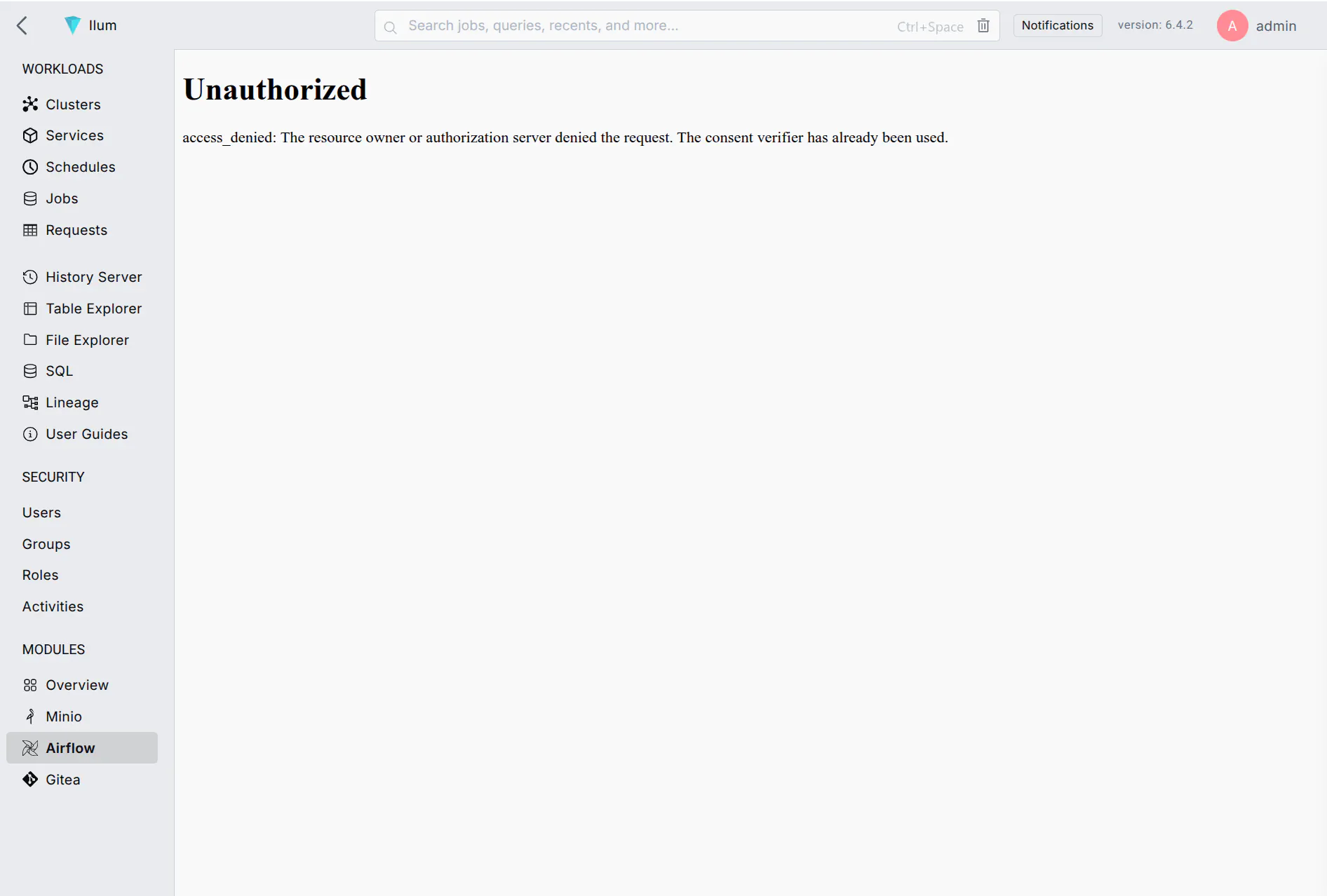 You can encounter alerts such as this one. A page refresh fixes everything
The errors you might see initially include CSRF verification failed, access_denied أو 502 Bad Gateway among others.