خادم Spark Connect
In the Ilum ecosystem, this feature essentially treats the Spark Driver as a "Spark-as-a-Service" endpoint. It aligns perfectly with Ilum's microservice philosophy, where specialized pods handle distributed computation while clients remain stateless and agile.
Check the user guide on spark connect هنا.
Spark Connect job type
To create a Spark Connect job in Ilum, select the Spark Connect Job type option from the وظيفة جديدة form.
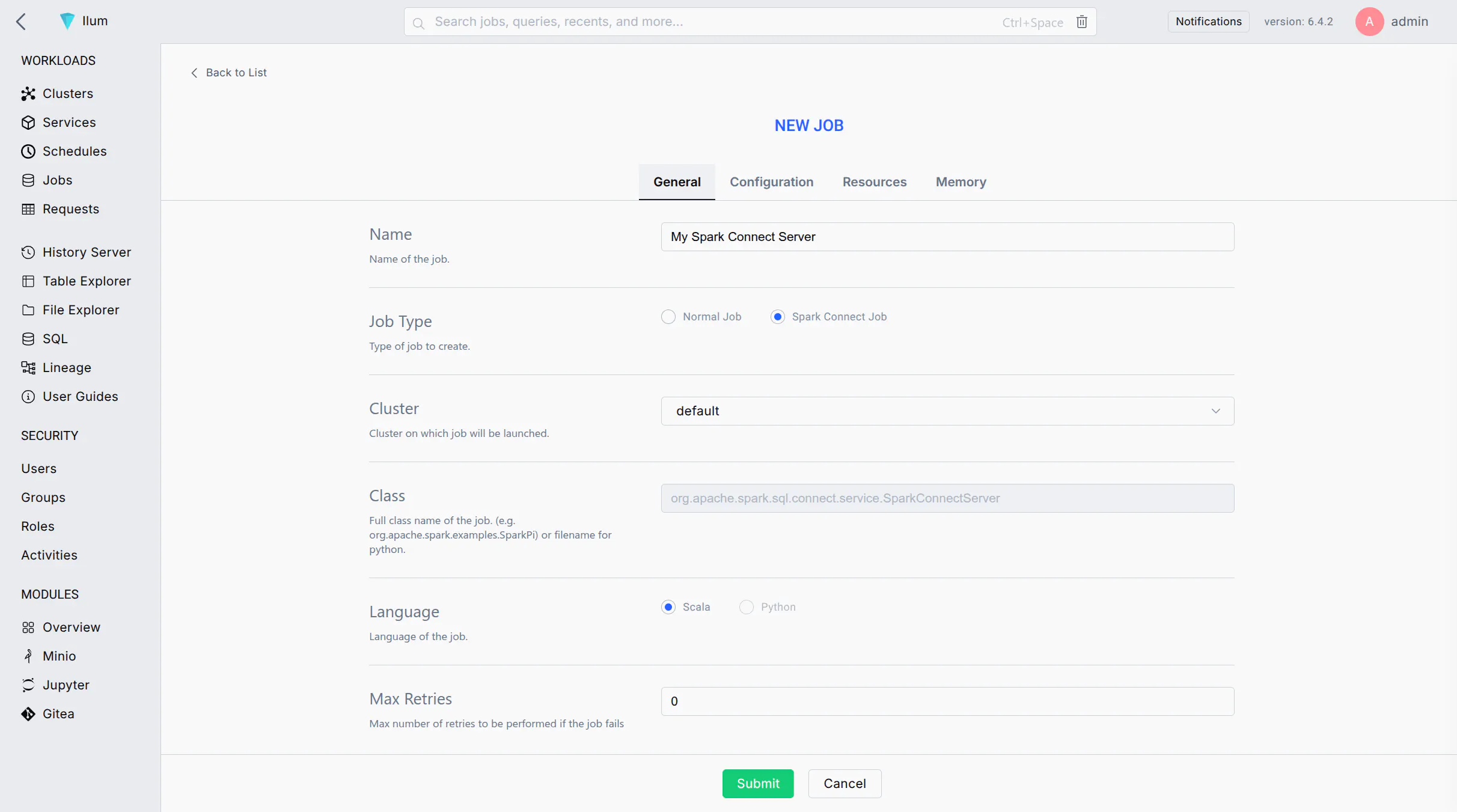 Choosing the Spark Connect job type automatically populates the required configuration
While Ilum pre-fills the necessary job configuration, it does not verify that your Docker image contains the Spark Connect server.
If your job fails with an error similar to this, it means the Spark Connect dependency is missing from your Spark distribution:
25/08/07 15:41:12 ERROR SparkApplicationCreator$: Failed to load class org.apache.spark.sql.connect.service.SparkConnectServer: org.apache.spark.sql.connect.service.SparkConnectServer
25/08/07 15:41:12 ERROR SingleEntrypoint: Exception occurred during job execution
org.apache.spark.SparkUserAppException: User application exited with 101
If your cluster has an internet connection, you can resolve this by adding the Spark Connect package via Spark configuration. In the البارامترات section of the job form, add:
spark.jars.packages: org.apache.spark:شراره-connect_<scala-الإصدار>:<spark-الإصدار>
Be sure to replace <scala-version> (e.g., 2.12) و <spark-version> (e.g., 3.5.6) with the versions that match your environment.
The server starts successfully when you see the following line in the driver logs:
25/08/07 16:00:03 INFO SparkConnectServer: Spark Connect server started at: 0:0:0:0:0:0:0:0%0:15002
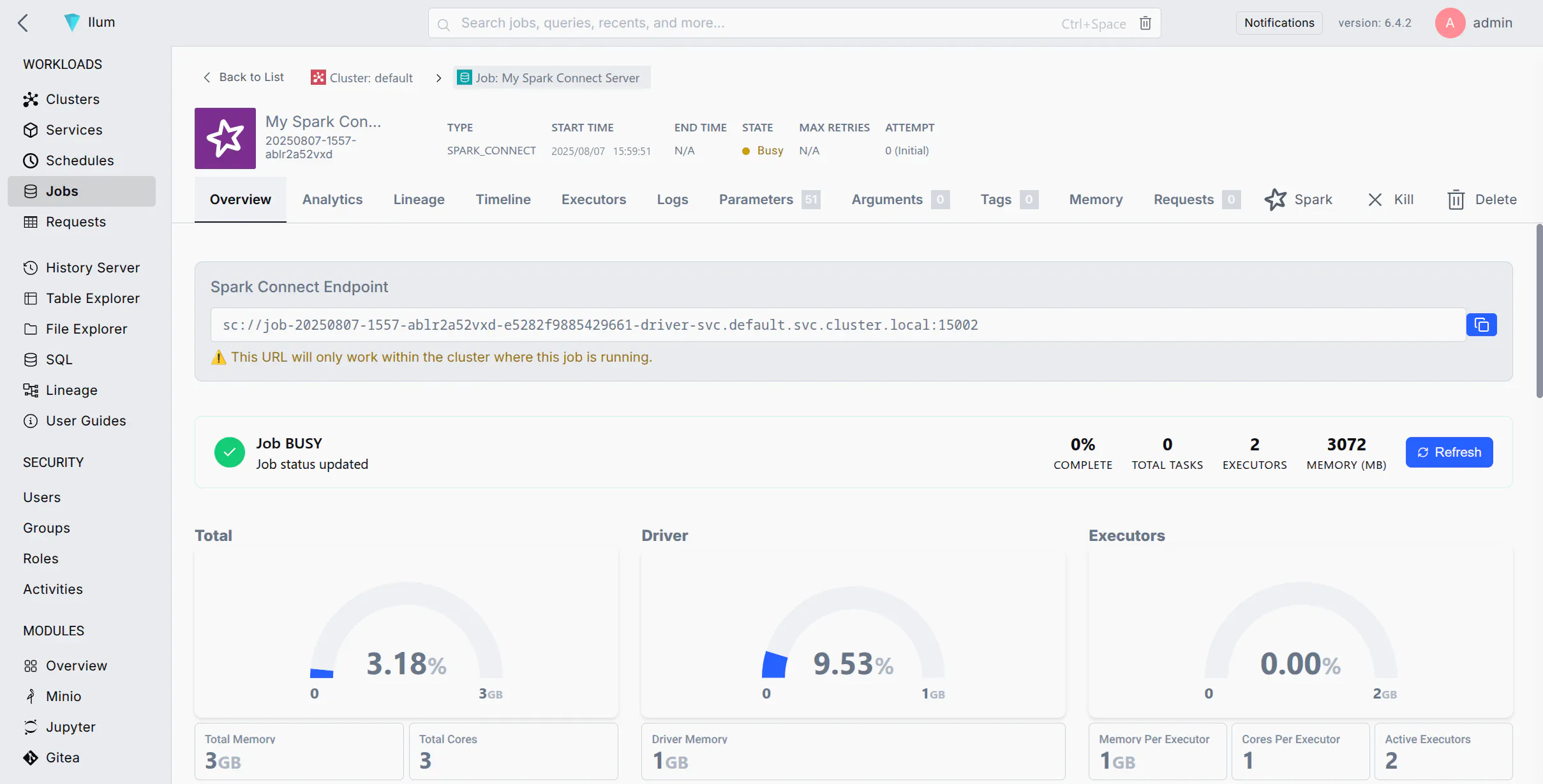 After the job starts, you can find the Spark Connect server URL on the job details page
Once the Spark Connect server is running, you can connect to it from any Spark client using the URL provided by Ilum.
Connecting from within the Kubernetes Cluster
If your client application is running in the same Kubernetes cluster, you can use the provided URL directly.
For example, to start a PySpark shell:
بايسبارك --remote <your-URL>
Or, to connect from a Python script:
من بايسبارك.SQL استورد جلسة سبارك

شراره = جلسة سبارك.builder.بعيد("<your-URL>").getOrCreate()

# Now you can use Spark as usual
مدافع = شراره.createDataFrame([("Alice", 1), ("Bob", 2)], ["الاسم", "المعرف"])
مدافع.عرض()
Connecting from Outside the Cluster
For local development, you can connect to the Spark Connect server from your local machine.
The easiest way to achieve this is by forwarding the server’s port using كوبيكتل.
First, you need the name of the driver pod. The pod name is typically the hostname part of the Spark Connect URL,
but without the -svc suffix. For example, if the URL is sc://job-20250807-1557-ablr2a52vxd-e5282f9885429661-driver-svc:15002,
the driver pod name is likely job-20250807-1557-ablr2a52vxd-e5282f9885429661-driver.
You can confirm the exact pod name by navigating to the سجلات tab in the Ilum UI.
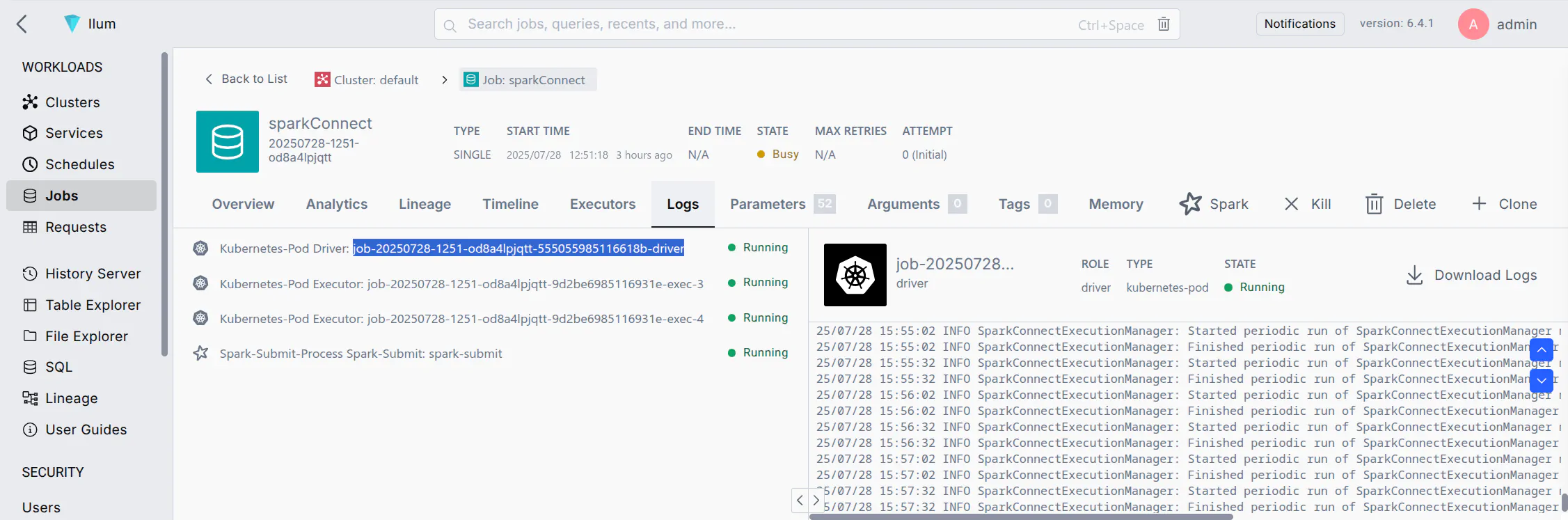 The driver pod name highlighted in the logs tab
With the driver pod name, run the following command in your terminal to forward port 15002:
kubectl ميناء إلى الأمام <driver-pod-name> 15002:15002
This command forwards traffic from المضيف المحلي:15002 on your machine to the Spark Connect server port inside the cluster.
You should be able to connect to the Spark instance using the local URL sc://localhost:15002.